Running PHP code
Create a file
index.php containing the following code.
<!DOCTYPE html>

<html lang="en">

<head>
    <meta charset="utf-8" />
    <meta name="viewport" content="width=device-width, initial-scale=1">
    <title> CSE104 </title>
</head>

<body>

<?php
$a = "Hello";
print "This text is written by PHP! $a";
?>

</body>

</html>
To run this code, we need a server with PHP interpretor.
You have 3 options:
1. Upload your file on cse104.org
-
Once uploaded, you can access your file at the url
http://cse104.org/[your-directory]/index.php.
-
This solution should always works, and it allows to share your PHP file directly on the internet.
-
If you re-upload a new PHP file, you may need to clear your browser cache to see the changes.
-
-
- You can also open the developer-mode and select "Disable cache" in the Network entry. This will disable the use of cache as long as the developer mode remains open.
This approach is however less convenient for local development as you need to re-upload your file for each modification.
2. Install PHP on MacOS/Linux
-
You can install the
PHP Server in Visual Studio Code. This should enable you to serve and run local PHP files directly in your browser.
-
If needed, you can install PHP on your machine as follow:
-
-
- On MacOS, you can install PHP using Homebrew:
brew install php
-
- On Linux, you can install PHP using the package manager of your distribution:
sudo apt install php.
-
- Once installed, you can also run the PHP server in the terminal:
php -S localhost:8000
3. Install XAMPP on Windows
-
1- Go to Xampp website and install the version adapted to your OS (windows/Mac/Linux).
-
2- Move your PHP file in the directory [xampp-directory]/htdocs/
-
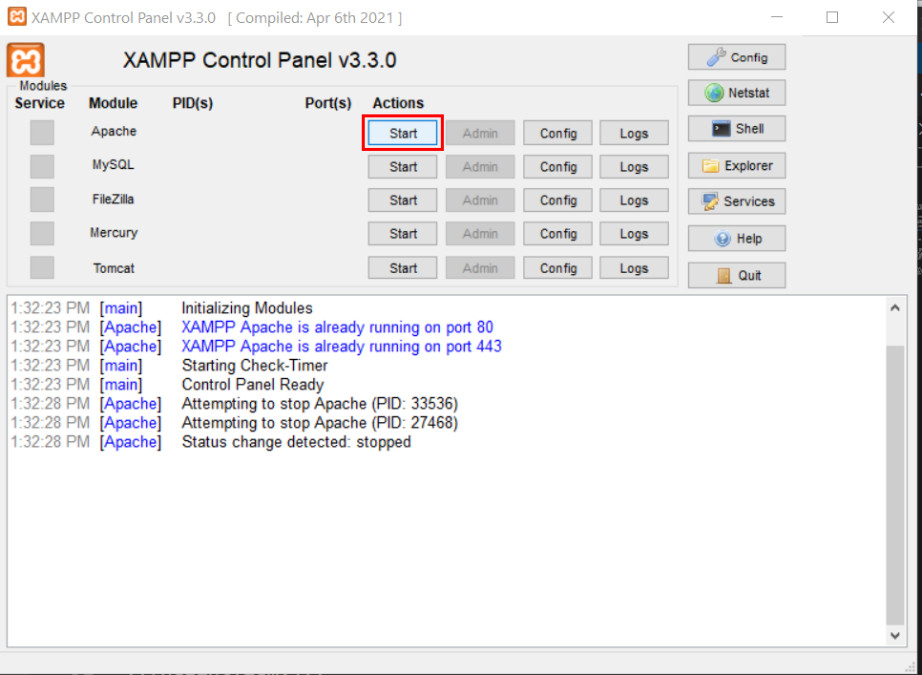
3- Start the PHP local server using Xampp: Click "Start" in front on Apache line.
A detailed video tutorial is available here:
You should now see the result of the PHP interpretation.
A few notes:
-
- To see the result, you need to query the adress http://localhost, and not open directly your php file from your browser.
-
-
- localhost is a keyword indicating a server running on the local machine.
-
- All your php files (html, php, images, etc) should be placed in the directory htdocs/ (or a subdirectory of it) otherwise they are not visible to xampp.
-
-
- If your file is not called index.php, you do not need to explicitly type index.php, but http://localhost is enough (index.php is automatically found).
-
- If your file filename.php is in a subdirectory subdir/, then the full url will be http://localhost/subdir/filename.php